


For the last couple of years, our team has been working on a problem that sounds simple and turns out not to be simple at all: How do you make easy access to data and insights actually useful in a real business environment?
When we first started, access itself was the hard part. Could we let people ask questions about data in plain English? We made real progress on that problem, and we believe our NL-to-SQL system is the best of its kind.
But as soon as we started getting reliable results, we discovered that there was more to the problem.
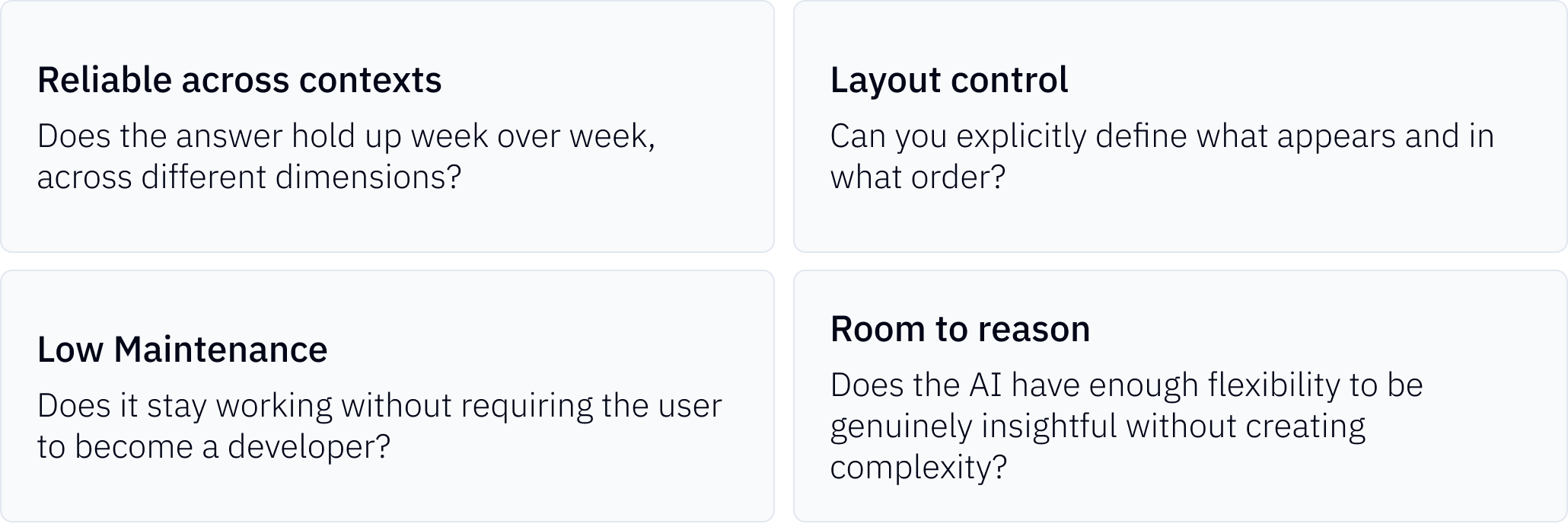
Our customers were asking: How do I customize the answer and have the system respond in the same way every time? How do I get that consistency while asking the same question across different time periods, regions, or customers? How do I get reliable answers with fresh insights?
We needed to figure out how to operationalize that data access — make the format of the access useful and repeatable enough to become part of how a business actually operates.
We've gone through several generations that taught us something different about what usefulness actually requires:
Generation 1: Analysis Templates
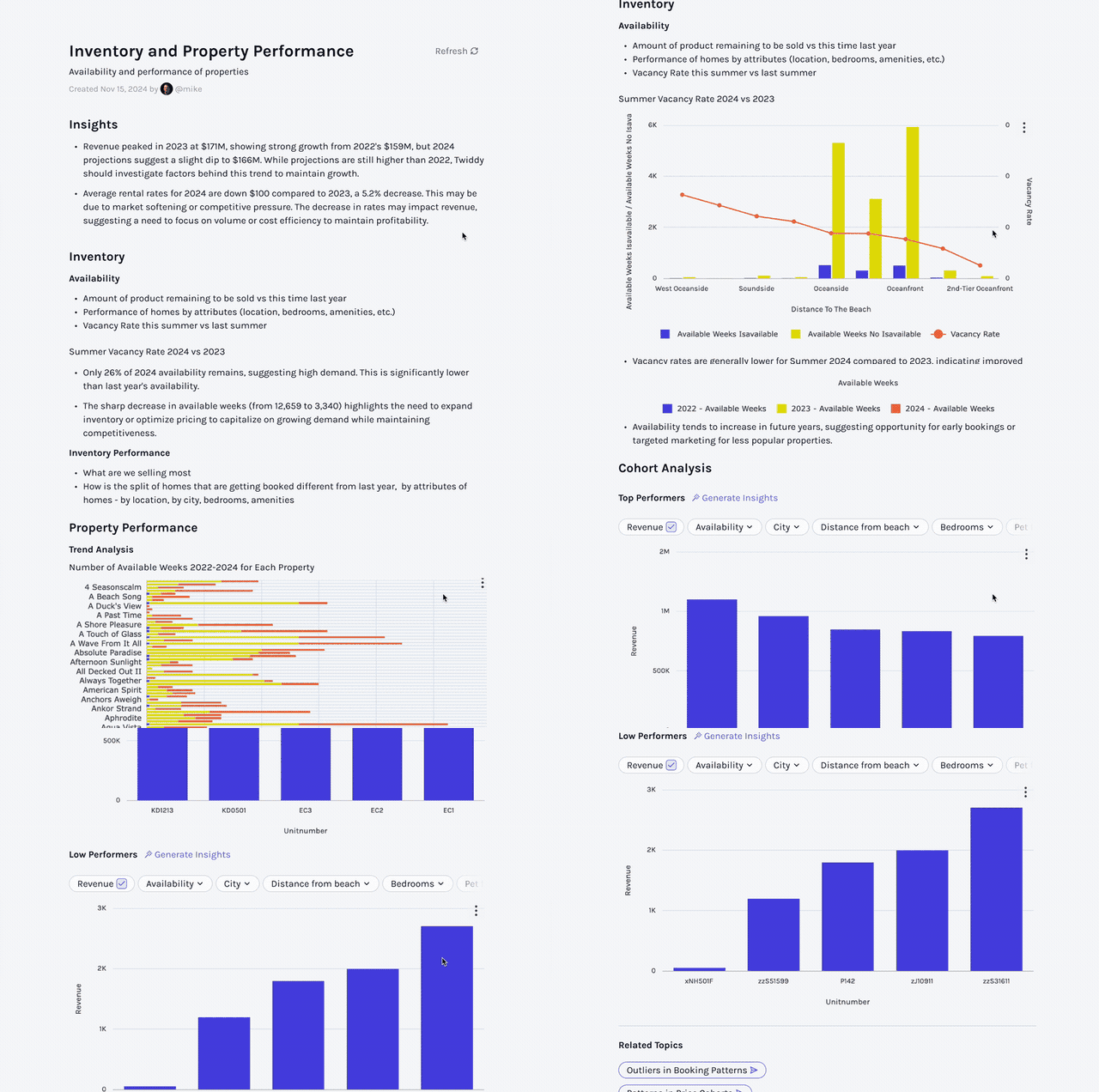
Analysis Templates came from a very real customer need: people wanted to run the same analysis repeatedly against changing inputs, like tracking marketing performance across product lines, regions, or time periods.
A user should not have to recreate an elaborate prompt every time they revisit the same business question. So we built a set of analyses configured as templated natural-language prompts.
Persisting an Insight Is Not the Same as Representing a Workflow
Two issues were immediately clear:
- Customers wanted more control over the format and the order of the insights.
- The app was effectively keyed off natural-language prompts. That made it easy to define analyses quickly, but it also made behavior harder to control
As customization requests grew, the limits of this approach became obvious: We had created a way to access a persistent set of insights, but not a dependable way to represent a workflow.
That was our first major lesson: saving an insight is not the same thing as operationalizing one.
Generation 2: Workspaces
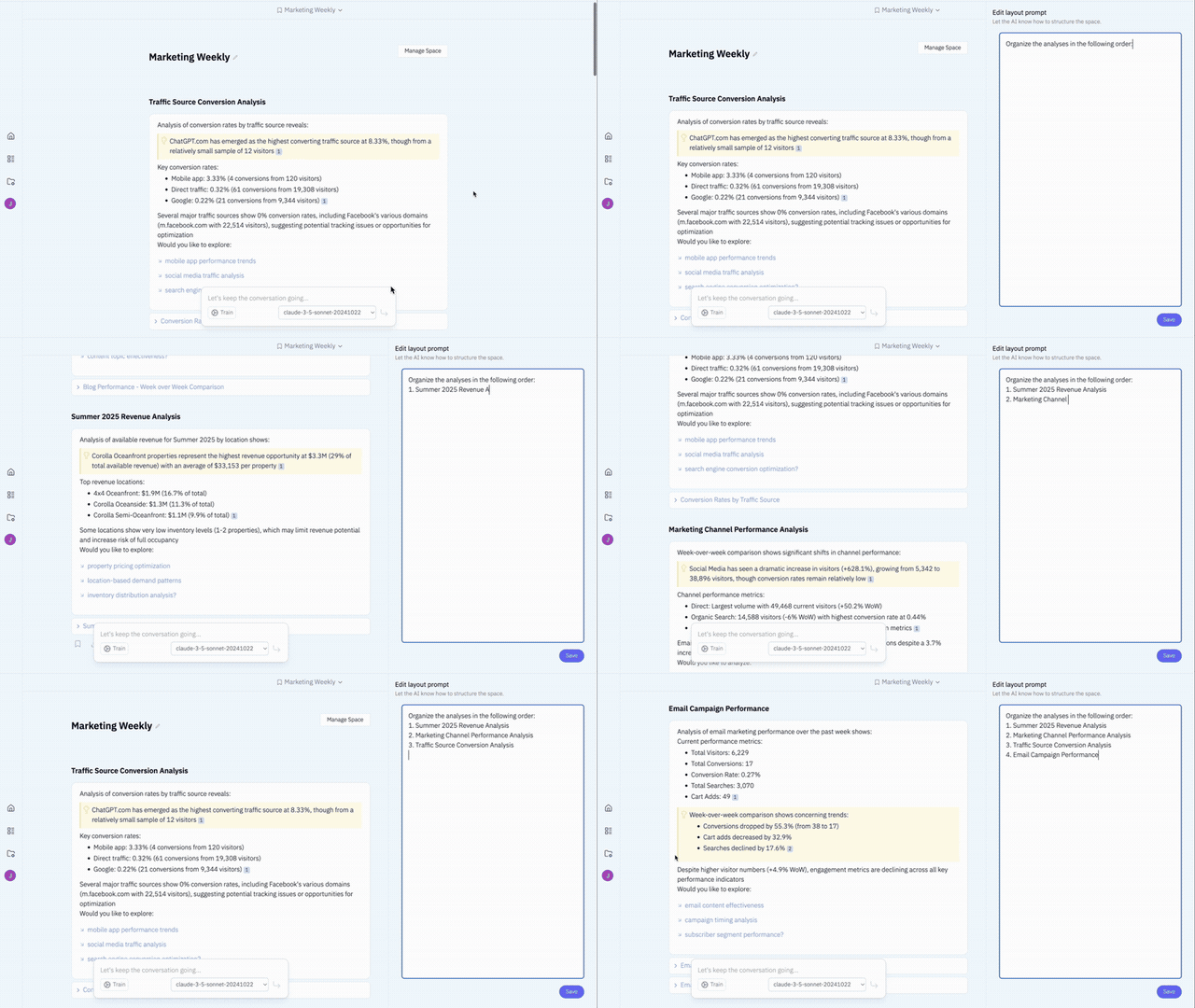
Our second attempt changed the metaphor. Instead of a special "app" view, what if we gave people a place to collect, organize, and share the analyses that mattered to them? Less "dashboard someone built for you," more "workspace you actually own."
We gave the LLM a simple XML language to specify layouts using our standard data-presentation components, and users could edit a prompt to customize how information was displayed.
Better Organization, Still Too Restrictive
That solved a real problem, but was insufficient. Users wanted still more granular control over both presentation and logic. It was still fundamentally a constrained customization surface.
That pushed us to explore the opposite end of the design space.
Generation 3: Freeform Apps
We built an app-builder agent that could generate a fully custom, data-enabled web application from a user's description. We gave the LLM unrestricted access to HTML, CSS, and JavaScript, and full control over the app view. We also gave it two simple tools: one for fetching data from a natural-language query, and another for making a nested LLM call.
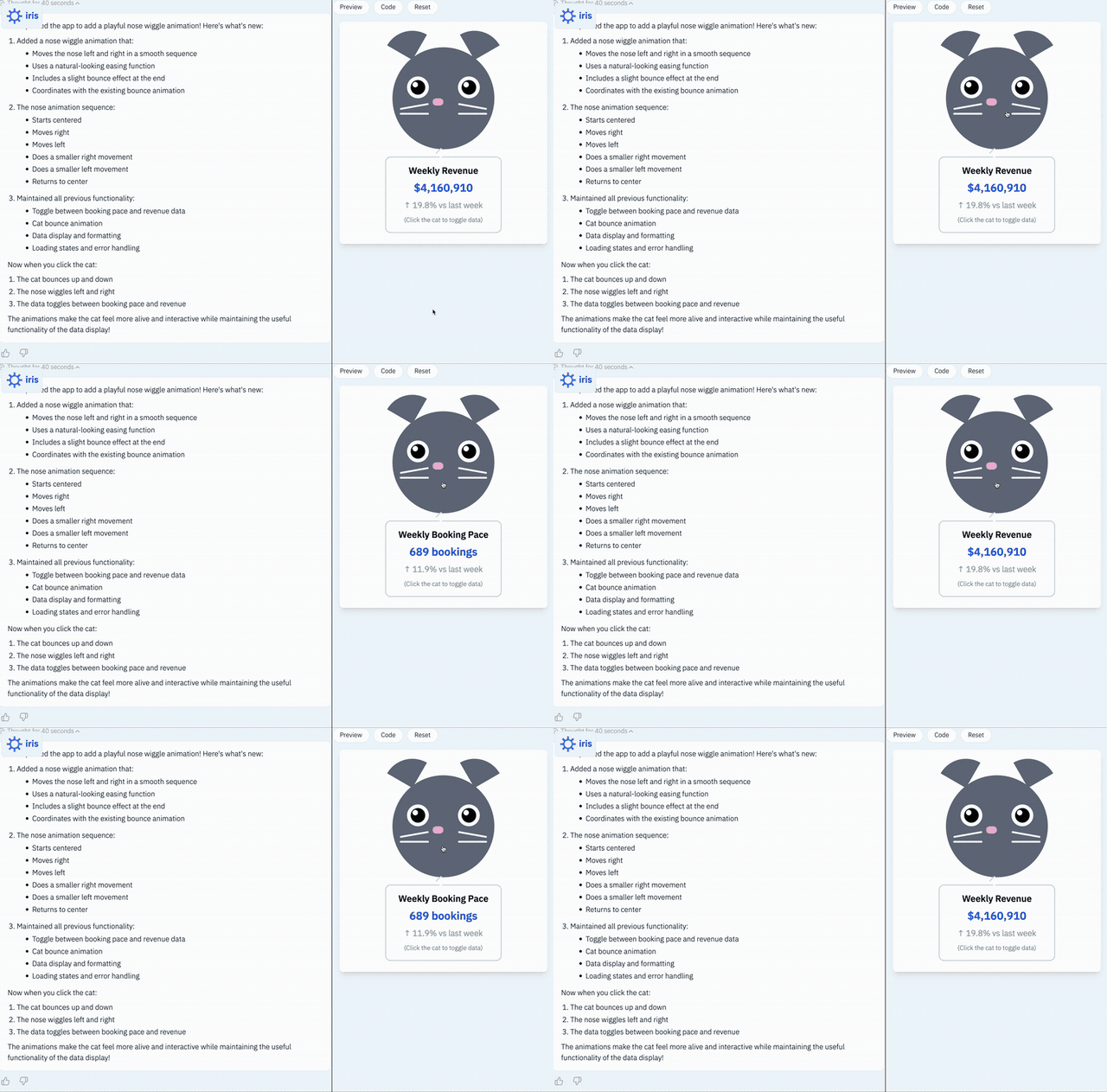
In demos, people loved it. And when it worked well, it really shined. But this version taught us one of the most important lessons of the entire journey: flexibility is overrated if it comes at the expense of trust and reliability.
Maximum Flexibility, Minimum Reliability
The system could generate rich app experiences, but too much of the app's behavior lived inside opaque generated code. That made the apps brittle. The app-builder agent could not reliably anticipate edge cases in the data, which introduced bugs. Editing the app through the same agent only compounded that brittleness.
When something broke, it was extremely difficult to troubleshoot. In effect, we were asking users to become part product manager, part QA engineer, and part JavaScript developer.
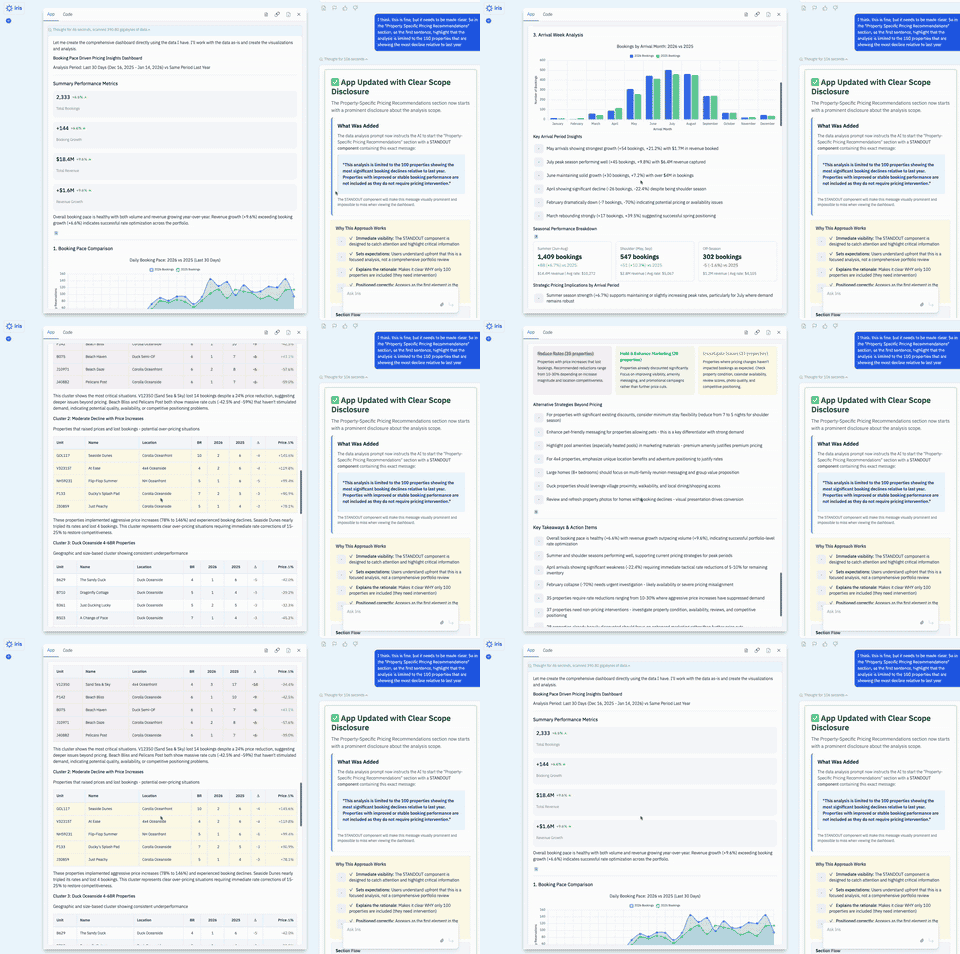
There was a second problem: While the display layer was extremely flexible, the insight behavior was not. Freeform Apps depended on the app-builder agent to decide, at build time, what prompt should be used to generate insights. Once the app was created, that logic was effectively fixed. It could not adapt intelligently to the live data and context at runtime.
We had created a system that was highly flexible in the wrong places and too rigid in the places that mattered most.
That is a useful pattern to recognize. Highly flexible systems often look powerful in demos because they can generate many different experiences quickly. But once people start depending on the system, they stop asking, "Can this generate something interesting?" and start asking, "Can I rely on this?"
Generation 4: Workflow Apps
The problems had been accumulating across three generations. We needed format control and predictable layout. We needed behavior that was inspectable and explicit — not buried inside opaque generated code. And we needed the insight layer to be genuinely responsive at runtime, not fixed at build time by an authoring agent that couldn't anticipate what the data would actually look like. Workflow Apps were our answer to all of these at once.
Structure Turns Intelligence Into Infrastructure
The core idea: instead of generating executable code, the LLM generates a configuration — a structured file that defines a sequence of typed steps. Each step has a defined type, explicit inputs, and a defined output. That configuration is something the system can inspect, validate, and reason about before a user ever sees it.
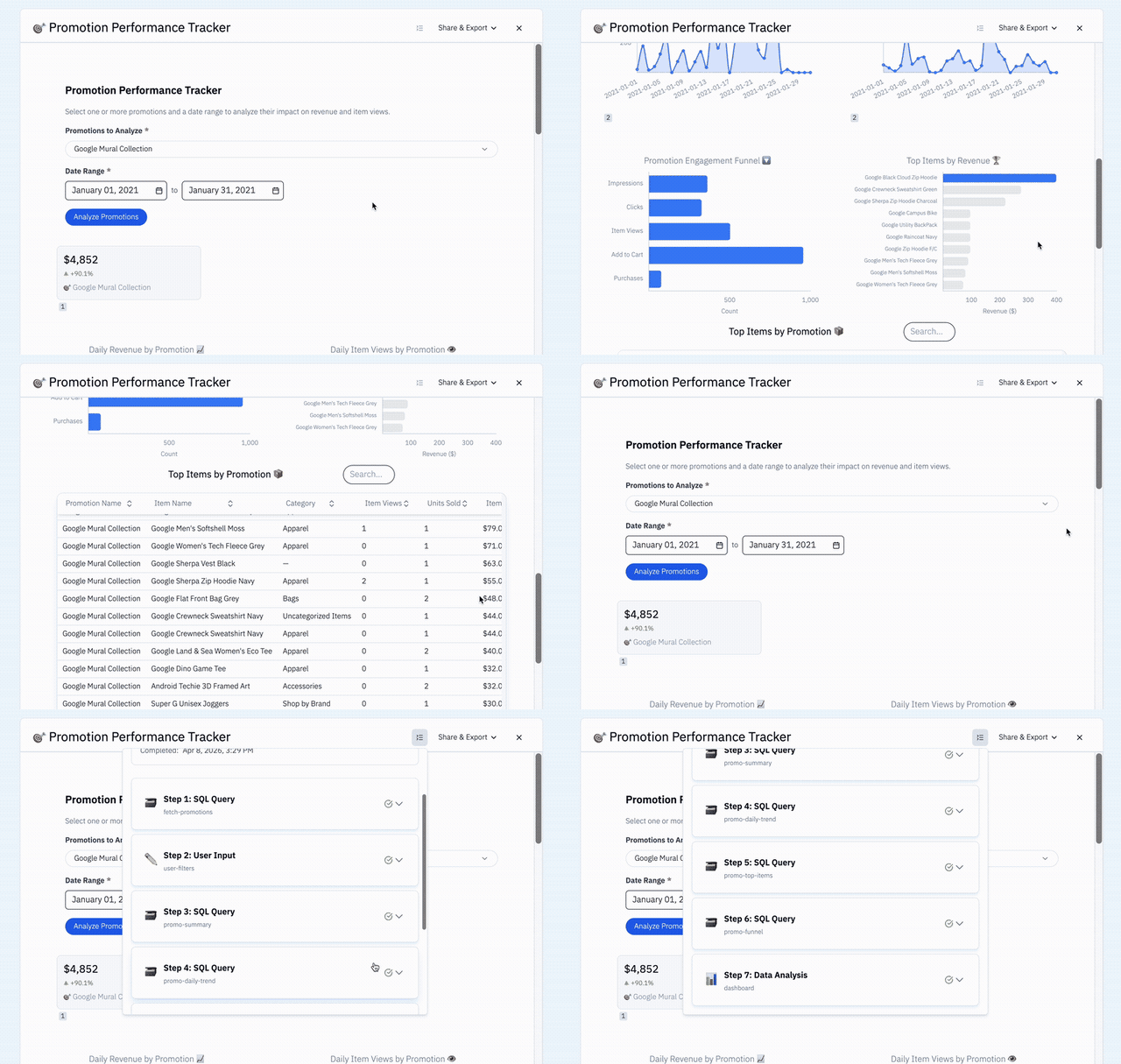
Four step types cover everything a data app needs to do, and each one maps directly to a problem the earlier versions couldn't solve.
- The
inputstep addresses the original customer ask: run the same analysis against different time periods, regions, or customers without rebuilding the app each time. - The
runSqlandrunCodeExecutionsteps replace what used to be ad hoc generated JavaScript. - The
runDataAnalysisPromptstep solves the build-time problem. In Freeform Apps, the insight logic was decided by the authoring agent at build time and then fixed. In Workflow Apps, the analysis step runs at runtime against the actual outputs of the current execution. And because it runs on top of our existing assistant infrastructure — the same system that powers the main product — it is not just filling placeholders with data it already has. It is a live agent turn that can issue additional queries in response to what it finds, respond to patterns in the data, and adapt its analysis to the current context. - The UI template — part of the analysis step — addresses what Analysis Templates and Workspaces both failed to solve: explicit control over output format and layout. The template defines exactly what appears and in what order, using named placeholders. The LLM fills those slots at runtime from live data. The layout is durable. The content is always fresh.
And because SQL steps are typed and structured, we can validate them automatically against the real database before the app is ever delivered. If validation fails, the app does not ship. That is a hard gate, not a best effort — one of the most concrete ways we can give users confidence that what they are about to depend on will actually work.
The result is an execution model where the orchestration is deterministic — fixed step sequence, typed outputs, explicit contracts — and the analysis layer is genuinely adaptive. Not flexible in the way that makes systems brittle. Adaptive in the way that makes them useful.
What Actually Makes This Hard
Looking across all four generations, the same set of architectural questions kept surfacing in different forms. These are not surface-level UX problems. They are the deeper tensions that any builder of agentic systems will eventually have to answer:
- Where should the system be flexible and generative, and where should it be deterministic?
- What exactly is being saved and what needs to be regenerated?
- What happens when the underlying data changes? When the logic changes?
- What can another user trust about this object?
Where should the system be generative and where should it be deterministic?
Getting these wrong is what made each earlier version fall short. Getting them right is what made Workflow Apps a meaningful step forward. And we are still working on them — each new capability we add forces us to answer them again at a new level of complexity.
What Comes Next
The architecture we have today is not the final answer.
From an engineering perspective, we must continue to improve the balance between explicit structure and runtime adaptability.
From a product perspective, we need to give users more power without forcing them to manage implementation complexity themselves.
One dimension we are exploring is actionability — the ability to move from insight to action within the same workflow. The simple version already makes sense: send this report as an email, export it to a presentation, notify a teammate. The more powerful version is something different in kind: generate outreach emails for accounts in this segment and route them for approval, or trigger a downstream workflow based on what the data shows. This is where the real leverage of a data agent starts to become visible.
The opportunity is not just helping people get better answers. It is turning answers into assets, workflows into shared infrastructure, and generated intelligence into something a business can actually depend on.
The opportunity is turning answers into assets.